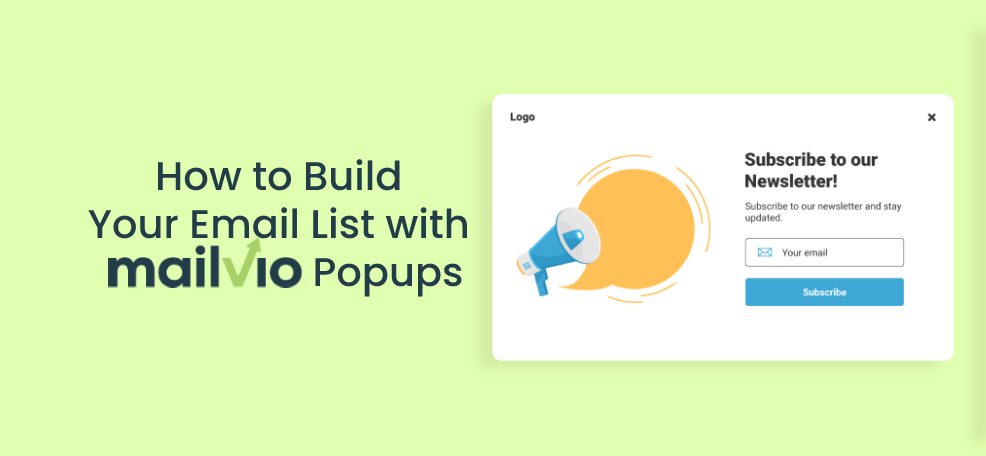
How to Build Your Email List with Mailvio Popups

Summary
Mailvio popups are Poptin-built website popups that collect visitor details and send new leads directly to a selected Mailvio subscriber group. Use them to grow your email list, trigger welcome or promotional sequences, and improve lead capture without manual exports.
Key takeaways
- Create Mailvio popups in Poptin using templates, a visual editor, and mobile-friendly popup types.
- Connect Poptin to Mailvio with your Mailvio API key and the relevant subscriber group ID.
- Use smart targeting such as exit intent, scroll depth, page targeting, and frequency controls to protect user experience.
- Keep signup forms short and offer a clear reason to subscribe, such as a discount, guide, webinar, or waitlist.
- Measure popup conversion rate alongside email engagement, revenue, unsubscribes, and complaints to judge lead quality.
Mailvio popups help you turn website visitors into email subscribers by collecting leads with Poptin and sending them directly to your Mailvio group. If you already use Mailvio for email automation, this setup gives you a simple way to capture new contacts, trigger welcome sequences, and build a more useful email list without manually exporting leads.
Freshness note: This guide was refreshed in August 2026 to keep the setup steps, best practices, and list-building recommendations useful for current marketers.
Email marketing remains one of the most reliable channels for nurturing leads, recovering abandoned carts, promoting offers, and building long-term customer relationships. Social media reach can fluctuate, ad costs can rise, and search visibility can change, but a permission-based email list gives your business a direct audience you can segment and engage over time.
While many CRM and email marketing platforms include basic signup tools, a dedicated popup builder gives you more control over design, timing, targeting, and conversion optimization. That is where Poptin popups can support Mailvio users.
If you are already a Mailvio customer, or you are considering Mailvio for your email campaigns, this guide walks you through how to create Mailvio popups in Poptin, connect your integration, and use smarter popup rules to grow a healthier list in 2026.

What Are Mailvio Popups?
Mailvio popups are website popups built in Poptin and connected to Mailvio so that new leads can be sent automatically to a selected Mailvio subscriber group. Mailvio is an email marketing platform with autoresponder, SMTP, segmentation, and automation features, while Poptin handles the visitor-facing lead capture experience on your website.
In practical terms, the popup asks a visitor for an email address, phone number, or other form field. Once the visitor submits the form, Poptin can pass that contact into Mailvio through the integration. From there, you can use Mailvio to send welcome emails, lead magnets, promotions, onboarding sequences, or abandoned cart follow-ups.

This type of automation saves time because you do not need to copy leads from one tool to another. It can also improve the customer experience by showing more relevant offers, reducing cart abandonment, and helping visitors take the next step while their interest is still high.
Why Use Poptin to Build Mailvio Popups?
Poptin is a lead capture platform that helps marketers, ecommerce teams, agencies, and website owners create popups, embedded contact forms, and automated messages without code. For Mailvio users, Poptin adds the conversion layer that sits on top of your website and feeds new subscribers into your email system.
You can create several types of Mailvio popups with Poptin, including:
- Lightbox popups
- Full-screen popups
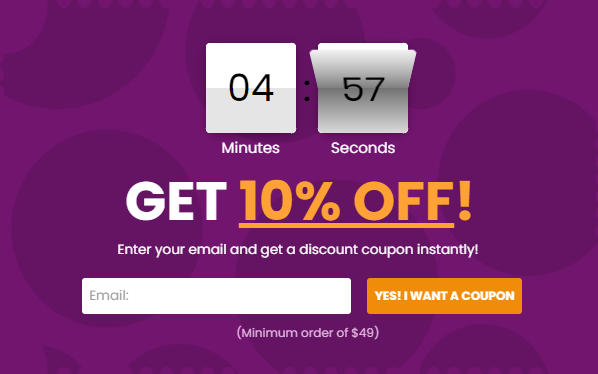
- Countdown popups
- Slide-in popups
- Top and bottom bars
- Mobile-friendly popups
- Embedded forms for landing pages and blog posts
The biggest advantage is control. Instead of showing the same signup box to every visitor, you can tailor the popup by page, traffic source, device, visitor behavior, timing, exit intent, and other conditions. That helps you collect better leads without overwhelming people who are still browsing.
How to Create Mailvio Popups with Poptin
Follow these steps to create a popup in Poptin before connecting it to Mailvio.
1. Sign Up or Log In to Poptin
Before you begin, sign up with Poptin for free or log in to your existing account. Poptin offers a free plan that is useful for testing popups on smaller sites, and paid plans are available when you need more visitors, domains, or advanced usage. Because pricing and plan limits can change, check the current Poptin pricing page before choosing a plan.
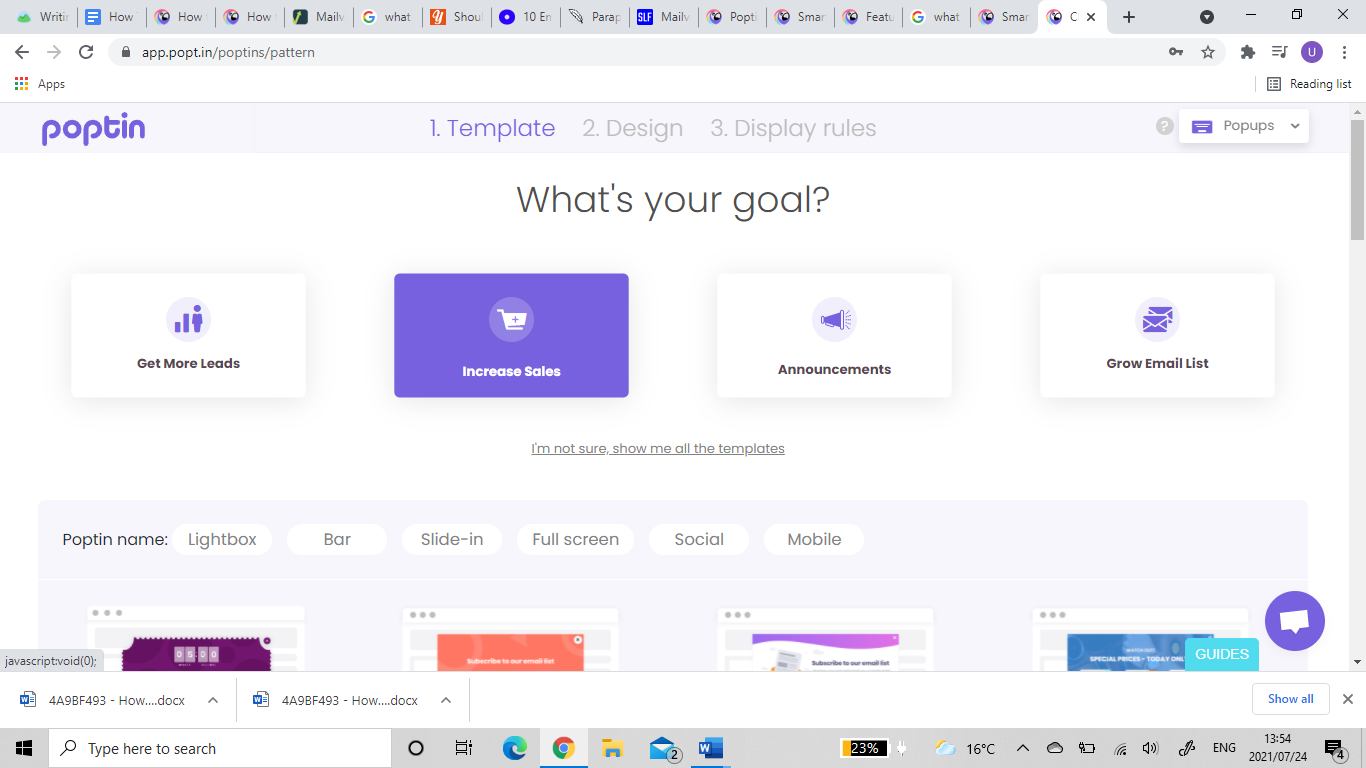
2. Choose a Popup Goal
Start by deciding what you want the popup to achieve. For email list building, common goals include:
- Collecting newsletter subscribers
- Delivering a lead magnet such as a checklist, coupon, or guide
- Offering a first-purchase discount
- Capturing webinar or demo registrations
- Recovering visitors who are about to leave
Your goal should determine your popup copy, form fields, design, and targeting rules. For example, a discount popup may work well for ecommerce visitors, while a guide or checklist may work better for B2B blog readers.
3. Select a Template
Poptin has an extensive range of popup templates you can customize. Choose your goal, select the popup type, and browse the available templates until you find one that fits your campaign.

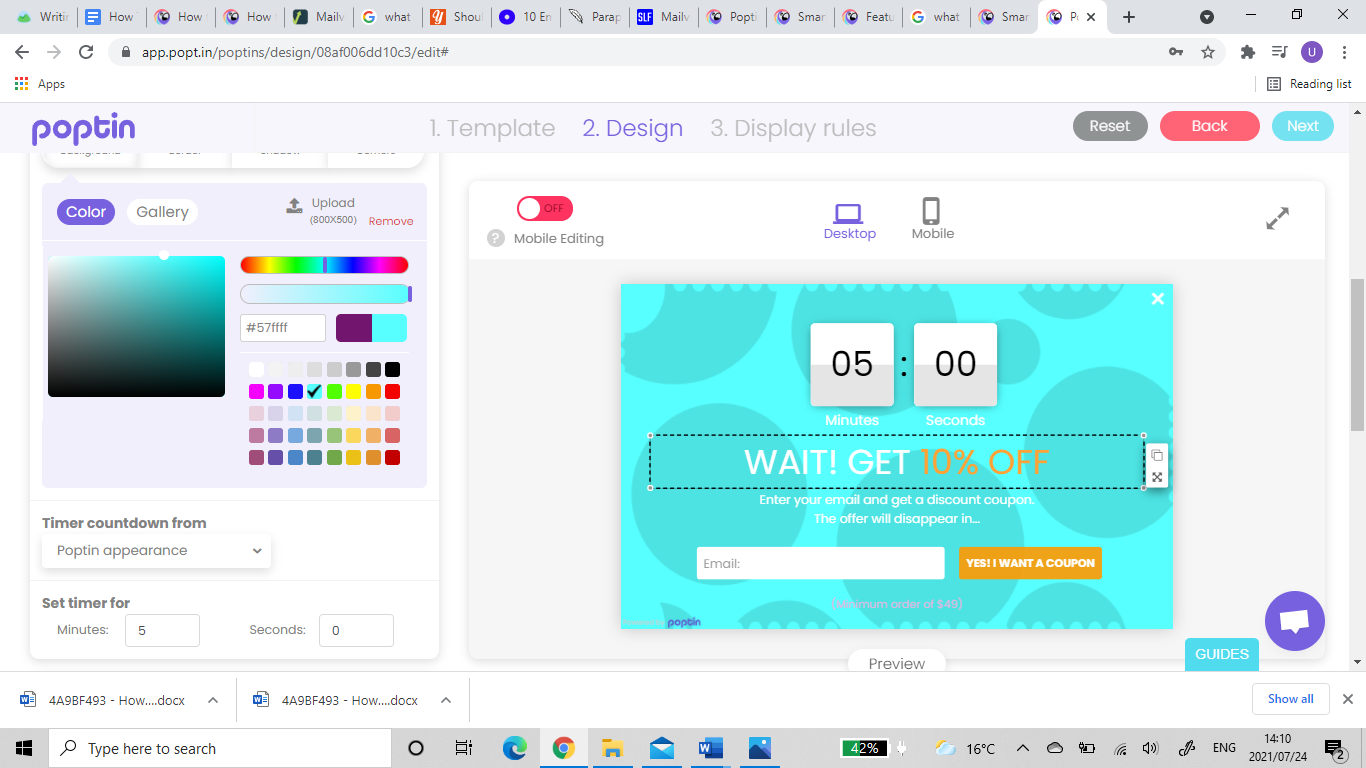
4. Customize the Design and Copy
Poptin includes a user-friendly editor with drag-and-drop controls. You can adjust the text, colors, fields, button style, images, spacing, and layout to match your brand.

For stronger conversions, keep the popup focused on one clear offer. A simple headline, one benefit-driven sentence, and a direct call to action usually perform better than a crowded popup with too many messages.
5. Set Display Rules and Targeting
In 2026, effective list building is less about showing popups to everyone and more about showing the right message at the right time. Use display rules to control when and where the popup appears.
Useful targeting ideas include:
- Exit intent: Show a popup when a desktop visitor appears ready to leave.
- Time delay: Wait until the visitor has spent enough time on the page to understand your offer.
- Scroll depth: Trigger a popup after a visitor has consumed part of a blog post or landing page.
- Page targeting: Match the offer to the topic of the page.
- Device targeting: Use mobile-friendly layouts and avoid intrusive designs on small screens.
- Frequency controls: Prevent the same visitor from seeing the same popup too often.
How to Integrate Your Popups with Mailvio
Once your popup is designed, connect it to Mailvio so leads can move automatically from Poptin to your Mailvio subscriber group.
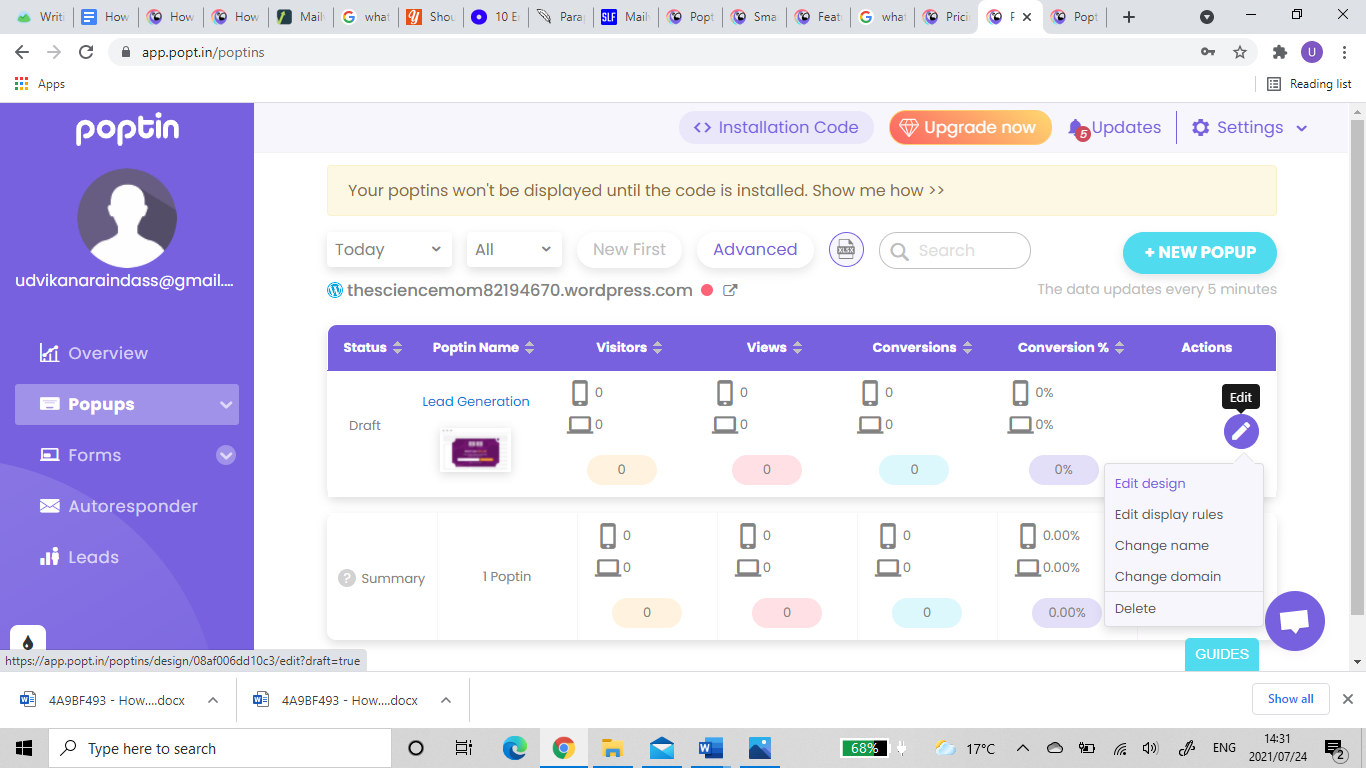
- Log in to your Poptin account, go to your Popups dashboard, find the popup you created, and open it for editing.

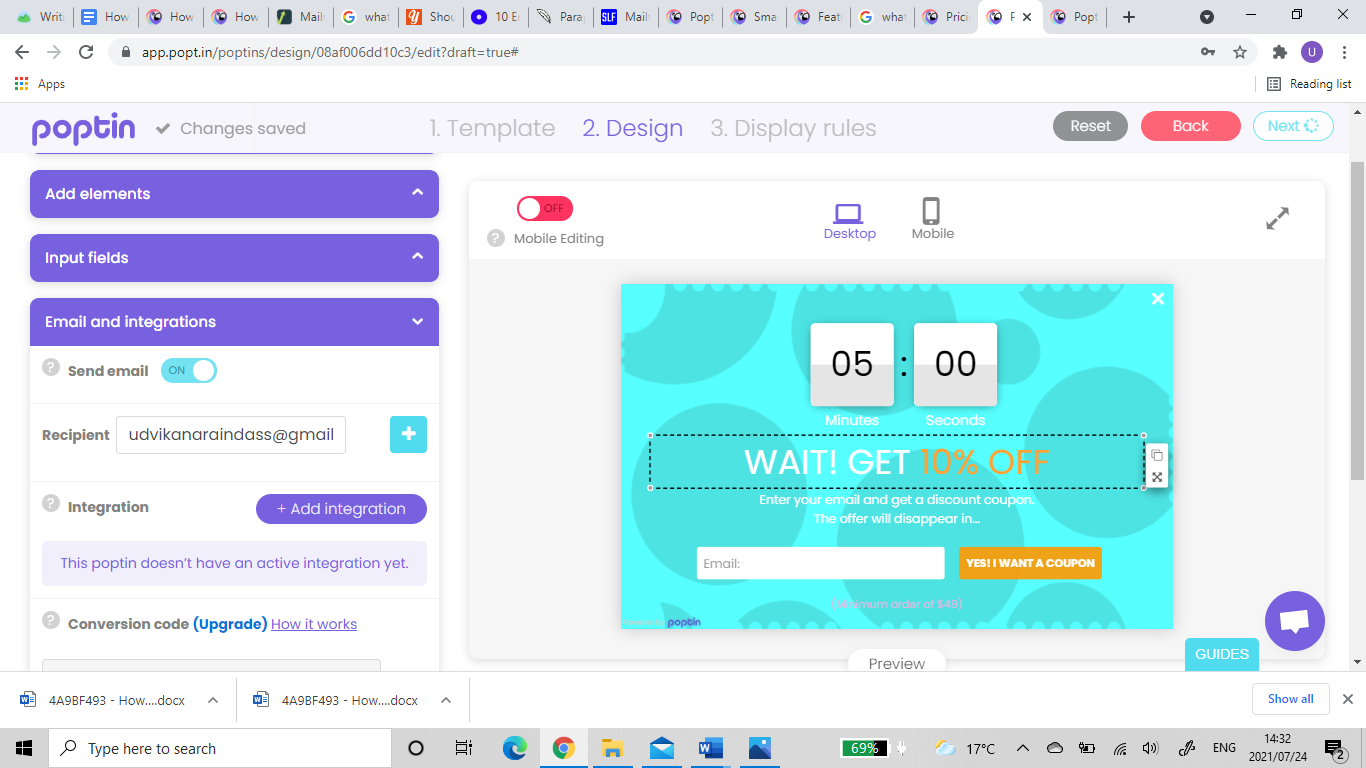
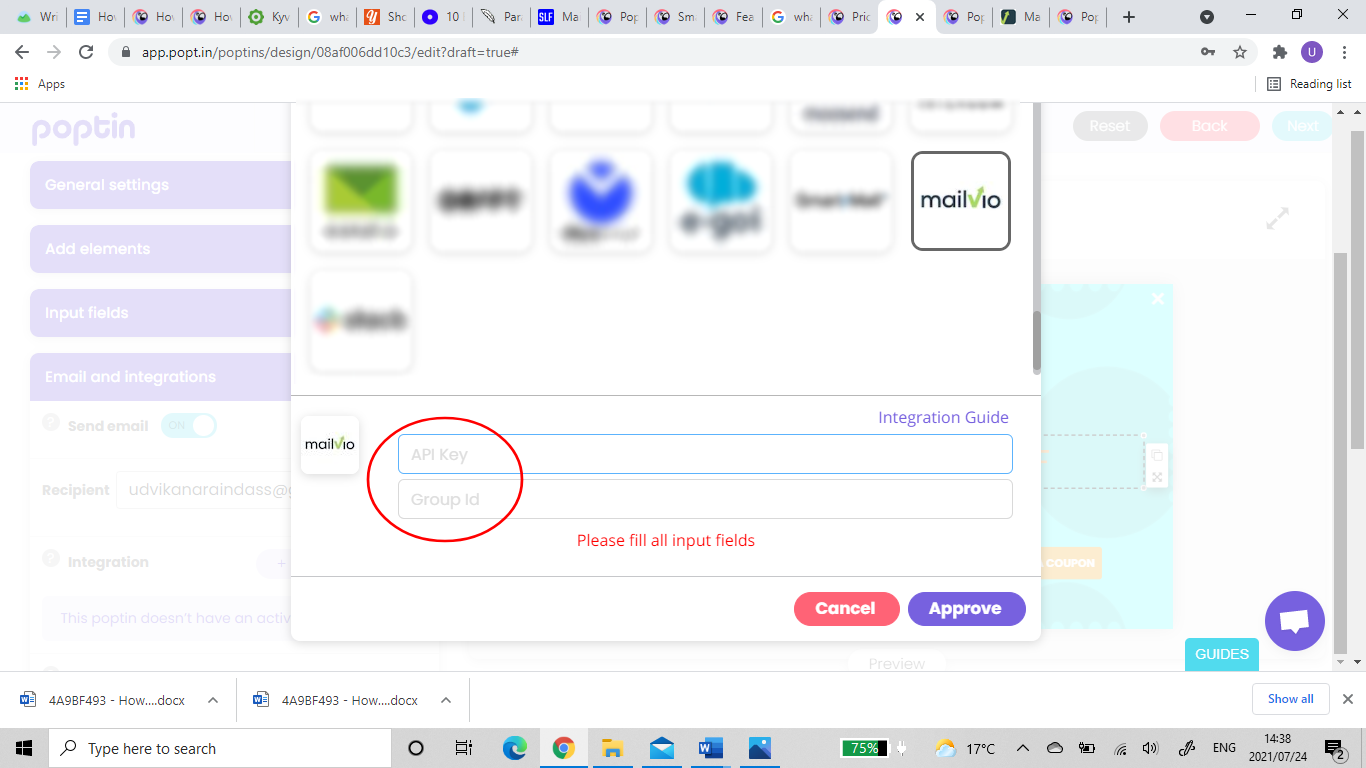
- In the editor, find the section labeled Email and Integration, then click Add Integration.

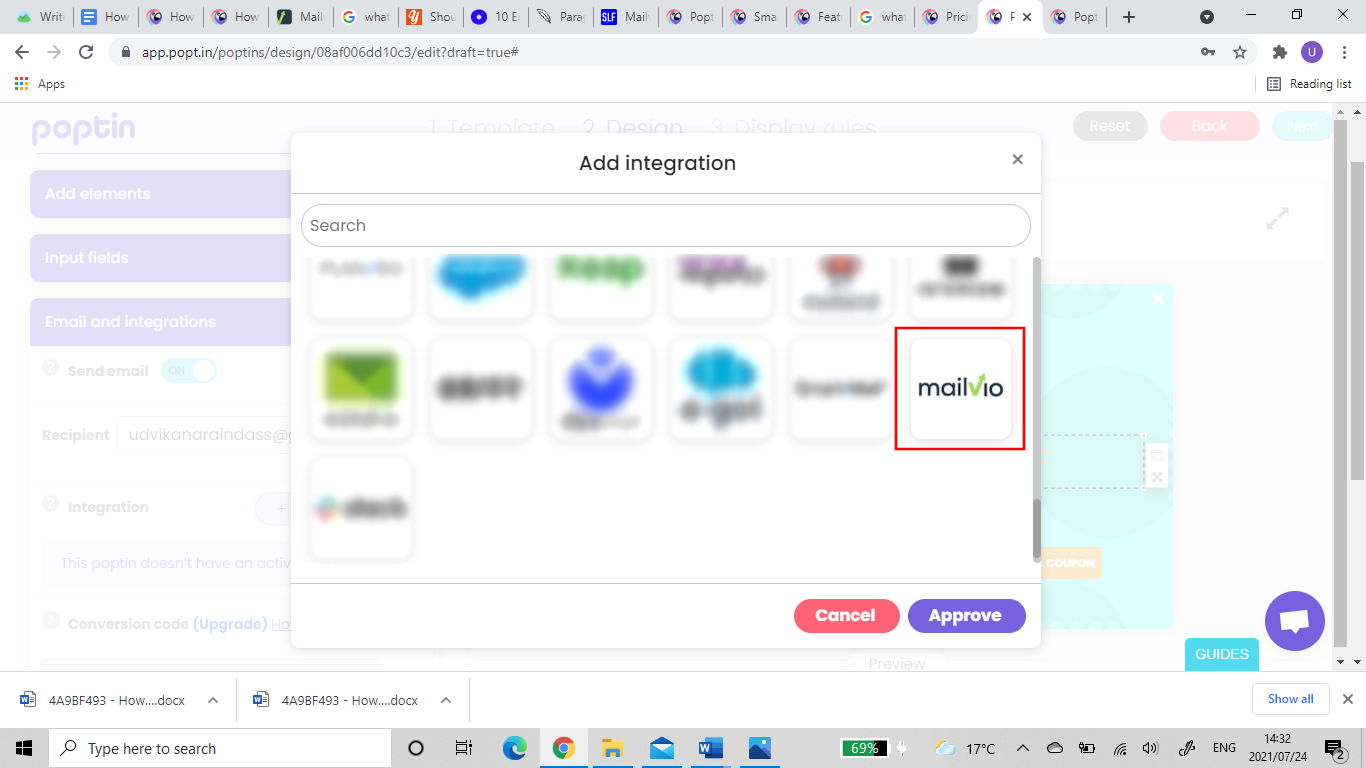
- Locate Mailvio in the integration list and select it. Poptin will ask for your Mailvio API key and group ID.

- To get your API key, log in to your Mailvio account, click your account icon, then go to Integrations and API Keys. Copy the API key displayed in Mailvio.

- To find your group ID, log in to Mailvio, go to Subscribers, select the relevant group, and copy the group ID from the URL bar.

- Paste your API key and group ID into the relevant fields in the Poptin integration window.

- Click Approve to save the integration. Once authentication is successful, new leads from that popup can be sent automatically to Mailvio.
For the official help guide, visit Poptin’s Mailvio integration instructions.
Best Practices for Growing Your Email List with Mailvio Popups in 2026

A working integration is only the first step. To build a list that actually drives revenue, focus on consent, relevance, and follow-up quality.
Offer a Clear Reason to Subscribe
Visitors rarely subscribe just because a form appears. Give them a specific benefit, such as a discount, early access, a free resource, a personalized recommendation, or useful updates in their area of interest.
Keep Forms Short
For most list-building campaigns, ask for only the information you need. An email address and first name are often enough for the first step. You can collect more information later through segmentation, surveys, purchase behavior, or preference centers.
Use Segmentation from the Start
If you run multiple offers, send subscribers to the Mailvio group or follow-up flow that matches their intent. A visitor who signs up for a product discount should not necessarily receive the same sequence as someone who downloads a B2B checklist.
Test One Variable at a Time
Use A/B testing to improve performance. Test headlines, offers, call-to-action buttons, timing, popup type, or audience targeting. Avoid changing everything at once, since that makes it difficult to know what caused the result.
Respect User Experience and Compliance
Use clear consent language, avoid misleading copy, and make it easy for subscribers to understand what they are signing up for. If your visitors are in regions with privacy or email marketing rules, make sure your popup, email follow-up, and data handling practices meet the requirements that apply to your business.
Common Mailvio Popup Ideas You Can Launch Quickly
If you are not sure where to start, try one of these simple campaigns:
- Welcome discount: Offer first-time visitors a coupon in exchange for joining your list.
- Exit-intent offer: Show an incentive when a visitor is about to leave a product or pricing page.
- Content upgrade: Offer a downloadable resource related to the blog post the visitor is reading.
- Webinar signup: Collect registrations and send new leads into a Mailvio reminder sequence.
- Back-in-stock or waitlist form: Capture demand before a product, feature, or campaign launches.
- Cart recovery popup: Encourage hesitant shoppers to subscribe before abandoning the cart.
How to Measure Mailvio Popup Performance

Track both popup performance and email performance. A popup that collects many low-quality contacts is less valuable than a popup that brings in subscribers who open, click, and buy.
Useful metrics include:
- Popup conversion rate: The percentage of popup viewers who submit the form.
- Lead quality: The number of subscribers who engage after signup.
- Welcome email open and click rates: Early signals that the offer and follow-up are relevant.
- Revenue or pipeline generated: The business impact of subscribers captured through the popup.
- Unsubscribe and complaint rates: Signals that your targeting, consent, or email content may need adjustment.
Review these numbers regularly and refine your popup rules, creative, and Mailvio sequences based on what subscribers actually do after they join.
FAQ About Mailvio Popups
What are Mailvio popups?
Mailvio popups are popups created in Poptin and connected to Mailvio. They collect visitor information on your website and send new leads to a Mailvio subscriber group for email follow-up.
Do I need coding skills to create Mailvio popups with Poptin?
No. Poptin includes templates, a visual editor, and built-in integration settings, so you can create and connect Mailvio popups without writing code.
What information do I need to connect Poptin to Mailvio?
You need your Mailvio API key and the group ID for the Mailvio subscriber group where you want new leads to be added.
Which popup type should I use for email list building?
Start with a lightbox, slide-in, or exit-intent popup. The best choice depends on your website, offer, and audience. Use A/B testing to compare results instead of relying on assumptions.
Can I use Mailvio popups on mobile?
Yes. You can create mobile-friendly popups in Poptin. Keep mobile forms short, use clear buttons, and avoid layouts that block too much of the screen.
How can I improve conversions from Mailvio popups?
Improve conversions by using a specific offer, matching the popup to the page topic, setting smart display rules, reducing form fields, and sending a relevant welcome sequence in Mailvio immediately after signup.
The Bottom Line
Email marketing is still an essential channel for businesses that want to turn interest into long-term customer relationships. With Poptin, you can design Mailvio popups, target them to the right visitors, and send leads directly to Mailvio for automated follow-up.
Start with one focused offer, connect it to the correct Mailvio group, and measure what happens after subscribers join. When your popup, audience, and email sequence work together, you can build a list that supports both engagement and revenue.
Ready to begin? Sign up with Poptin and create your first Mailvio popup today.