All CRO e-commerce 13 min read

Convert Visitors into Customers with Shoptet Pop Ups

Author
Abbey Claire Dela Cruz August 18, 2026
Shoptet pop ups helping an ecommerce store convert visitors into customers

Summary

Shoptet pop ups are targeted on-site messages that help store owners convert visitors into subscribers, leads, and customers. With Poptin, Shoptet merchants can create no-code pop ups for first-order coupons, abandoned cart recovery, seasonal offers, customer support prompts, and email list growth while controlling triggers, targeting rules, design, and integrations.


Key takeaways

  • Use Shoptet pop ups for clear goals such as email capture, cart recovery, coupons, support prompts, and seasonal promotions.
  • Target pop ups by page, device, visitor type, location, behavior, and frequency to keep campaigns relevant.
  • Keep forms short, mobile-friendly, and easy to close so pop ups help the shopper instead of interrupting them.
  • Exit-intent and cart page pop ups are useful for recovering shoppers before they abandon checkout.
  • Test one variable at a time, such as offer, headline, timing, or design, to improve conversion rates over time.

Shoptet pop ups help online store owners turn more visitors into subscribers, leads, and customers by showing the right offer at the right moment. With Poptin, you can create targeted pop ups for coupons, cart recovery, email capture, product recommendations, event reminders, support prompts, and seasonal campaigns without writing code.

Freshness note: This guide was refreshed for 2026 with updated ecommerce context, practical targeting advice, and current best practices for using pop ups responsibly on Shoptet stores.

Every year, more brands invest in ecommerce, mobile shopping, and direct customer relationships. That creates a major opportunity for Shoptet merchants, but traffic alone is not enough. A successful conversion strategy is what turns browsing sessions into revenue, repeat purchases, and stronger customer lists.

Shoptet has grown from a popular Czech and Slovak ecommerce platform into a major ecommerce solution across Central and Eastern Europe. According to Shoptet’s 2026 company update, more than 44,000 e-shops were running on the platform in Czechia, Slovakia, and Hungary at the end of 2025.

That is good news for online sellers, but it also means more competition. Your store needs timely messages that help shoppers decide faster. In this article, you will learn how to use Shoptet pop ups with Poptin to capture leads, reduce cart abandonment, promote offers, and guide visitors toward checkout.

Why Shoptet Pop Ups Still Matter in 2026

If you have not tried pop ups on your Shoptet store yet, you may be missing one of the fastest ways to improve lead capture and customer acquisition.

Pop ups work because they respond to shopper behavior. Instead of waiting for a visitor to find a newsletter form in your footer or search for a discount code somewhere else, you can present a relevant message when the visitor is most likely to act.

Shoptet pop ups created with Poptin for ecommerce lead capture

Pop ups are mainly used to convert visitors into customers, subscribers, or leads. They can support ecommerce goals such as:

  • Collecting email addresses for newsletters and automations.
  • Recovering visitors before they leave a cart or checkout page.
  • Promoting first-purchase discounts.
  • Displaying time-sensitive offers for seasonal campaigns.
  • Sending shoppers to a landing page, product category, or support channel.
  • Collecting feedback after a purchase or after a visitor abandons a page.

Cart abandonment remains one of the biggest ecommerce conversion challenges. Baymard Institute’s long-running research places the average online cart abandonment rate at about 70%. That does not mean every abandoned cart can be saved, but it does mean Shoptet merchants should have a recovery strategy before shoppers disappear.

The key is relevance. A helpful pop up can reduce friction. An aggressive pop up can create friction. The best Shoptet pop ups are targeted, easy to close, mobile-friendly, and aligned with the visitor’s intent.

Your Pop Up Builder: Poptin

Poptin is built to help ecommerce stores create pop ups, forms, and overlays without coding. You can use it to launch campaigns quickly while still controlling the details that matter for conversion: design, display rules, targeting, integrations, and performance tracking.

With Poptin, Shoptet merchants can create responsive pop ups using templates or start from scratch. You can adjust fields, colors, images, copy, buttons, triggers, and audience rules so every campaign fits your brand and goal.

Poptin also supports integrations with email marketing platforms and CRMs, which means new leads can move into your follow-up workflows automatically. That is especially useful if you are building abandoned cart flows, welcome series, coupon reminders, or post-purchase campaigns.

Best Ways to Convert Visitors into Customers with Shoptet Pop Ups

Here are the most common and effective ways to use Shoptet pop ups in your online store.

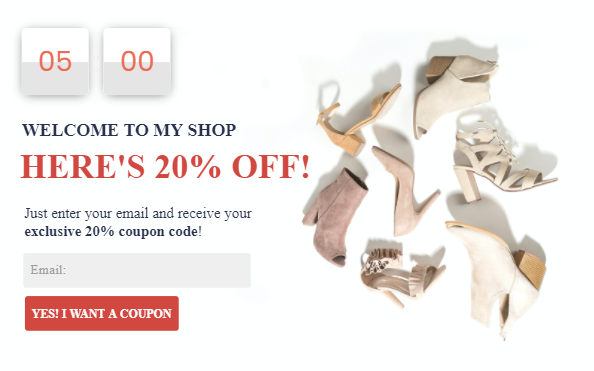
1. Welcome first-time visitors with an exclusive coupon

A first-visit offer is one of the simplest ways to create a strong first impression. When new visitors see a discount, free shipping offer, bundle bonus, or small gift, they have a reason to stay and browse.

For best results, keep the offer clear and specific. Instead of a vague message like “Join our list,” try copy such as:

  • “Get 10% off your first order.”
  • “Join today and receive a free shipping code.”
  • “Unlock your first-purchase coupon before you leave.”

Ask only for the information you actually need. In most cases, an email address is enough for a first-touch offer.

2. Remind shoppers to complete their purchase

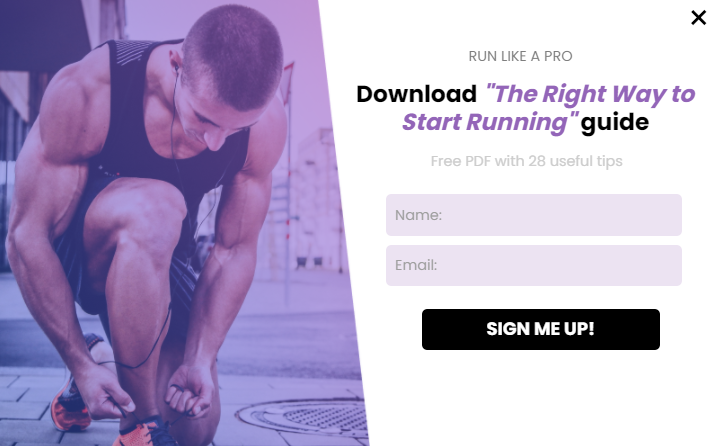
Exit-intent pop up reminding an ecommerce shopper to complete checkout
Use exit-intent or cart page targeting to recover shoppers before they leave. Photo via Pexels by Ivan S.

Shoptet pop ups for abandoned cart recovery and checkout reminders

Exit-intent technology is a practical way to encourage visitors to take a second look before leaving your store. You can show an exit pop up when a visitor appears ready to close the tab, leave the page, or abandon the checkout path.

For cart recovery, test messages such as:

  • “Still thinking it over? Complete your order now and get free delivery.”
  • “Your cart is waiting. Save your items by email.”
  • “Before you go, here is a limited-time checkout coupon.”

Use discounts carefully. If you show a discount too quickly, you may train shoppers to wait for a coupon. A better approach is to show stronger offers only on high-intent pages, such as cart, checkout, or return visits.

If you want to know more about exit-intent technology and its benefits for your business, click here.

3. Customize targeting rules for better relevance

Audience targeting rules for ecommerce pop up campaigns
Better targeting helps each visitor see a more relevant pop up message. Photo via Pexels by Kampus Production.

You cannot talk to every visitor in the same way. A returning customer, a first-time visitor, a mobile shopper, and someone browsing a sale category may all need different messages.

Use targeting rules to control who sees each pop up. For example:

  • Show a first-purchase offer only to new visitors.
  • Show a cart recovery message only on cart or checkout pages.
  • Show a region-specific message only to visitors in selected countries.
  • Show mobile-friendly pop ups with shorter copy and fewer fields on phones.
  • Exclude recent buyers so they do not see a discount meant for prospects.

If your product is only relevant for a specific device, country, language, or customer segment, do not waste impressions on visitors who cannot use the offer. Better targeting usually means fewer interruptions and higher-quality leads.

4. Make every action easy for customers

Do not ask for too much information. Complicated fields slow down conversion and can reduce trust. For lead capture, start with the smallest useful form: usually an email address, or a phone number if SMS marketing is part of your strategy and you have proper consent.

Pop ups can also be used to make navigation easier. For example, you can send visitors to:

  • A Black Friday or holiday landing page.
  • A bestsellers collection.
  • A size guide or product comparison page.
  • A download page.
  • A sign-up page for a loyalty program.
  • A live chat or contact page.

Additional read: 5 Best Pop Up Practices to Boost Sales on Black Friday

You can also offer support and chat options using your Shoptet pop ups. This approach can improve customer experience by helping visitors find answers before they abandon the store.

5. Create urgency without creating pressure

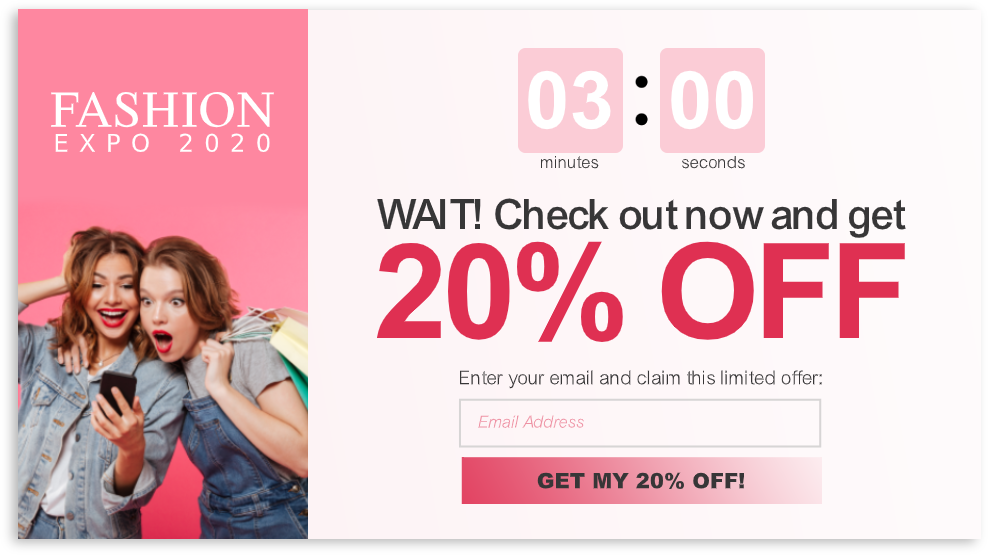
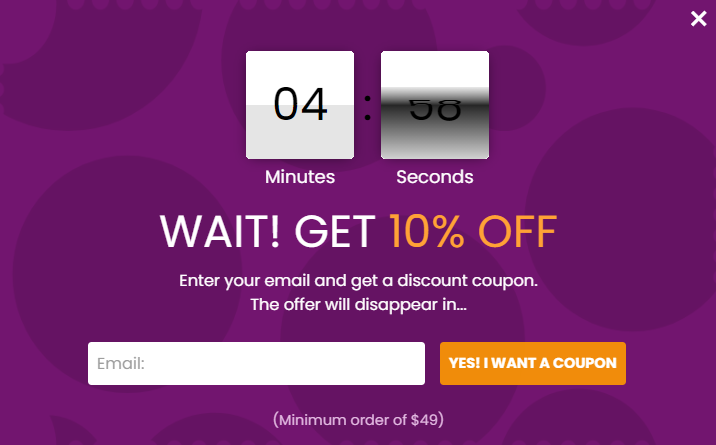
Countdown timer pop up for a limited-time ecommerce offer
Urgency works best when the deadline or stock limit is genuine. Photo via Pexels by https://kaboompics.com/.

Countdown timer example for Shoptet pop ups and limited-time ecommerce offers

Urgency works best when it is real. Use pop ups to share limited-time offers, low-stock alerts, registration deadlines, or event reminders. Countdown timers can be useful for flash sales, but they should match a genuine deadline.

Good urgency messages include:

  • “Sale ends tonight at midnight.”
  • “Only a few pieces left in this collection.”
  • “Order today for delivery before the event.”
  • “Registration closes in 2 hours.”

Avoid fake scarcity. It may create short-term clicks, but it can damage trust and reduce repeat purchases.

Now that you know some of the best ways to use Shoptet pop ups, check these Creative Website Popups Design Examples to inspire your next campaign.

Creating Shoptet Pop Ups with Poptin

Creating Shoptet pop ups is simple with Poptin, especially if you start with a ready-made template. Here is the basic process.

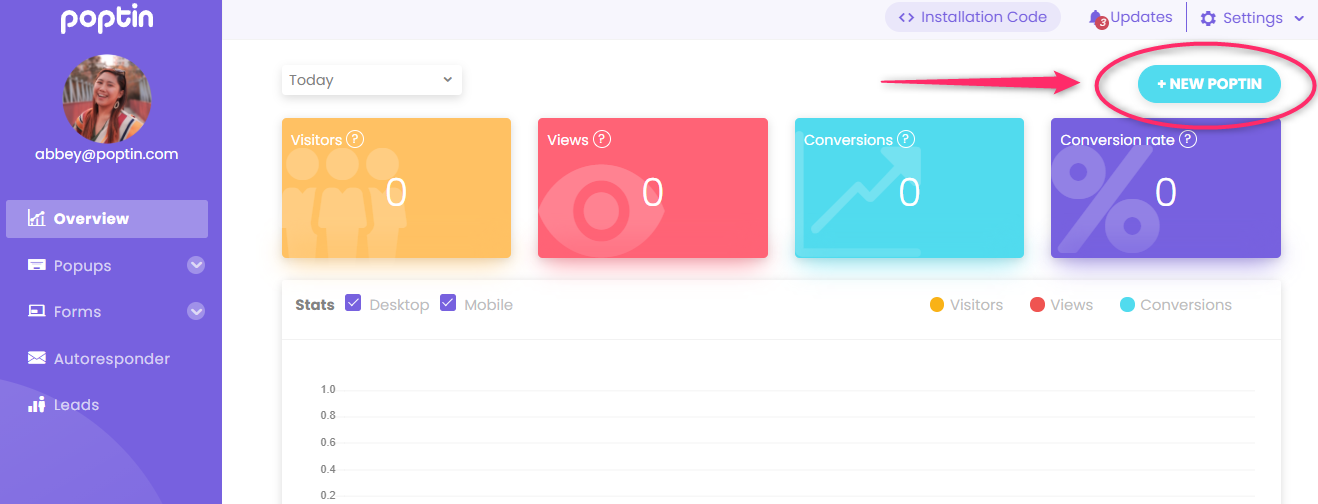
  1. Log in to Poptin. First, log in to your Poptin account. If you do not have one yet, you can create one for free. Once you are on the dashboard, click New Poptin.

Poptin dashboard for creating Shoptet pop ups

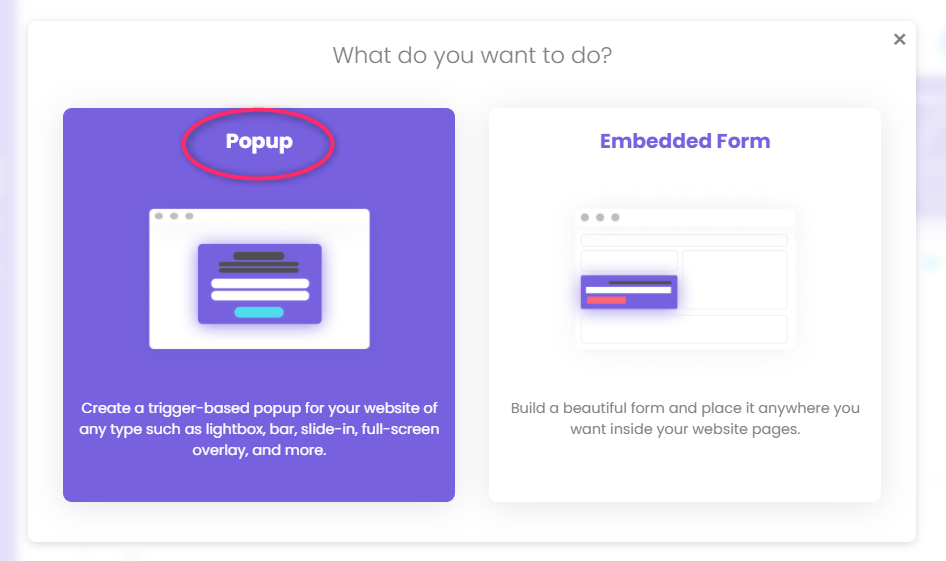
  1. Choose your campaign type. Select Popup. You can also choose an embedded form if you want to place a form directly on your store pages.

Choose popup or embedded form in Poptin

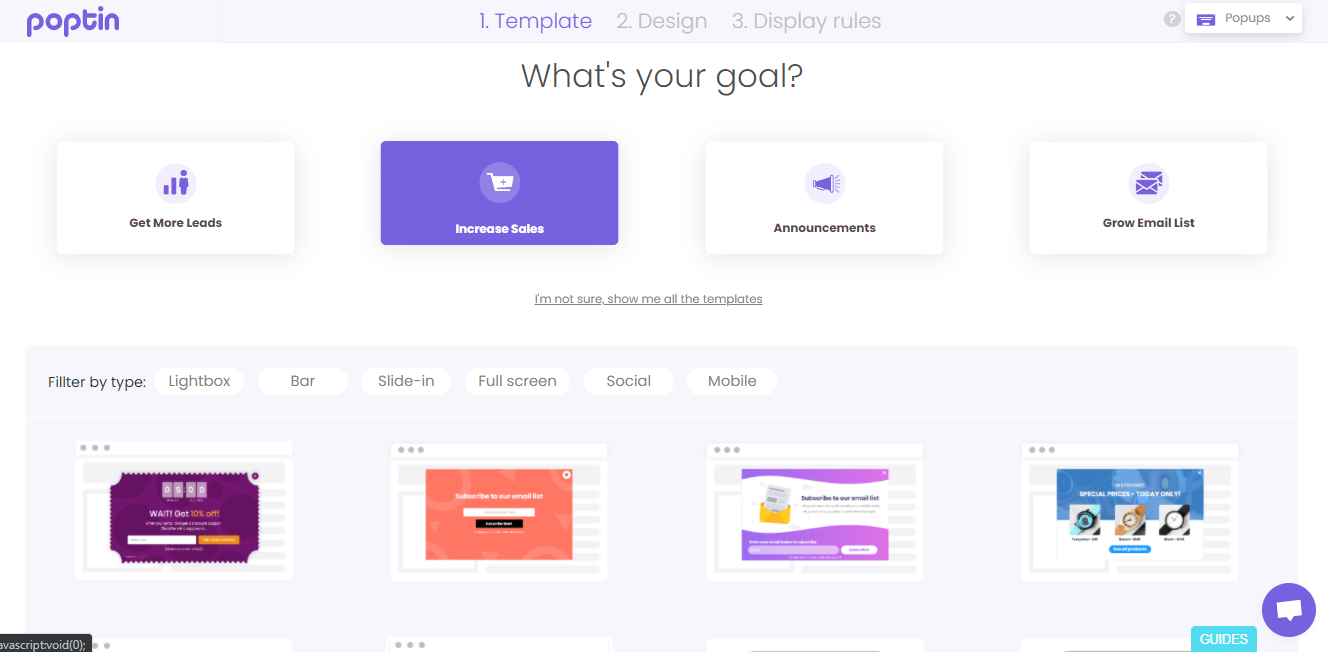
  1. Select your goal and template. You can create a design from scratch or choose a ready-made template based on your goal, such as email capture, sales promotion, cart recovery, or announcements.

Select a pop up goal and template in Poptin

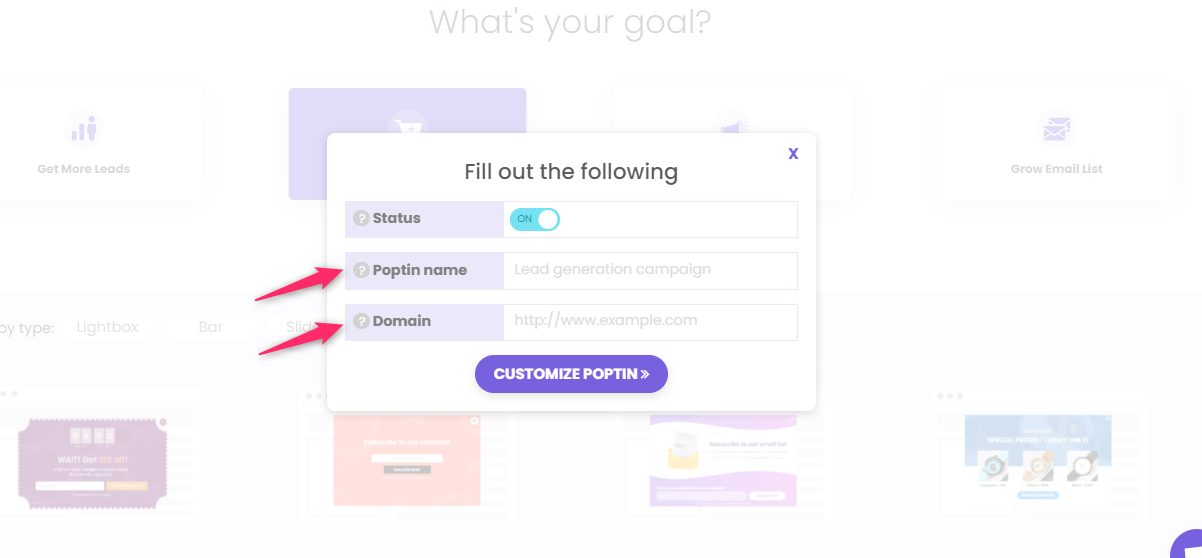
  1. Name the pop up and choose your website. Type the Poptin name and select the Shoptet website where you want the campaign to appear.

Name a Poptin campaign for a Shoptet store

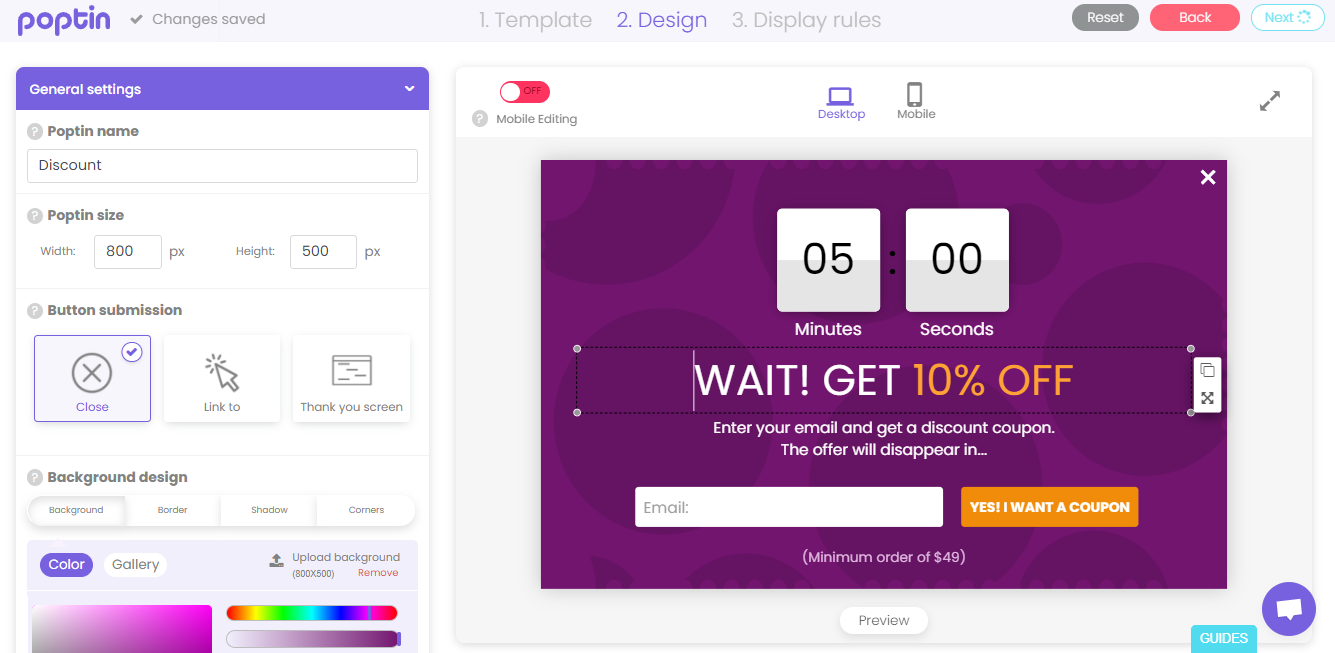
  1. Customize your design. In the editor, add, edit, or remove elements such as colors, fields, fonts, button copy, background images, countdown timers, and close buttons.

Customize a pop up design for a Shoptet ecommerce campaign

  1. Personalize the message. Match the offer to the page and visitor intent. A homepage welcome pop up should not say the same thing as a cart recovery pop up.

Personalized ecommerce pop up design for a Shoptet campaign

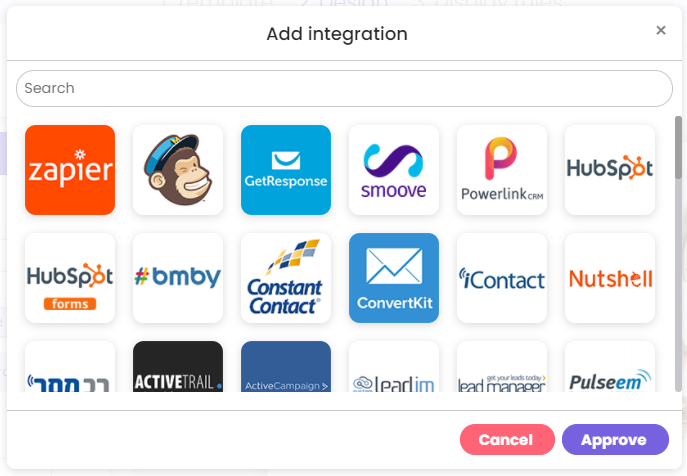
  1. Add integrations. If you want to connect your CRM or email marketing platform, scroll to Add Integration, choose the software you use, and connect it. This helps you send new leads into the right email or SMS workflows.

Add email marketing and CRM integrations to a Poptin campaign

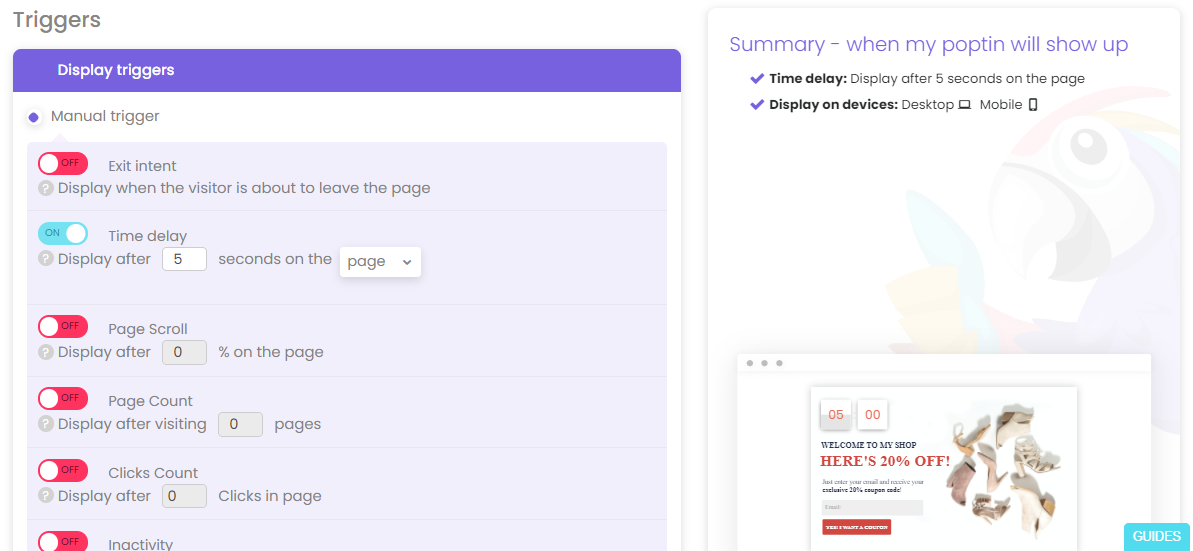
  1. Set display rules. Choose the trigger that fits the campaign. Poptin options include exit-intent, time delay, page scroll, page count, click count, and inactivity trigger for visitors who become idle.

Display rules for Shoptet pop ups in Poptin

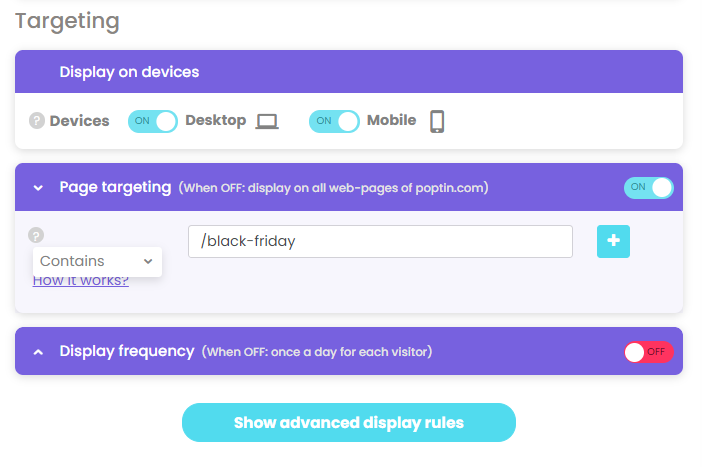
  1. Set targeting rules. Define frequency, devices, pages, visitor segments, and other targeting options so the pop up appears only when it is useful.

Targeting rules for Shoptet pop ups and ecommerce segmentation

  1. Publish and monitor results. Once everything looks good, click Publish. After the campaign is live, track views, conversions, and conversion rate so you can improve the offer, timing, and design.

You can now relax and let your pop ups help convert visitors into paying customers, but do not set and forget them. Review performance regularly, especially during seasonal campaigns, major sales, and product launches.

Add Poptin to your Shoptet store now and start creating your own pop-ups!

If you are looking for a more visual tutorial, here is a video on how to create your first pop up with Poptin:

2026 Best Practices for Better Pop Up Conversions

Pop ups can be powerful, but only when they respect the shopper experience. Use these best practices to keep campaigns effective and customer-friendly.

  • Delay non-critical pop ups. Give visitors a moment to understand the page before asking for an email address.
  • Use exit-intent on desktop and careful timing on mobile. Mobile exit behavior is different, so use scroll depth, time delay, or page-based rules where appropriate.
  • Limit frequency. A visitor who closes a pop up should not see the same one on every page.
  • Make the close button easy to find. Hidden close buttons reduce trust and can hurt user experience.
  • Match the offer to the page. Category visitors may respond to buying guides, while cart visitors may respond to free shipping or checkout reassurance.
  • Keep forms short. More fields usually mean more friction.
  • Test one change at a time. A/B test headline, offer, timing, design, or form length so you know what actually improved results.
  • Respect consent and privacy rules. If you collect email addresses, phone numbers, or marketing permissions, use clear consent language that matches your legal requirements.

Campaign Ideas for Shoptet Stores

Not sure what to launch first? Start with one campaign that maps directly to a business goal.

GoalPop up ideaBest trigger
Grow your email listFirst-purchase coupon or newsletter giftTime delay or scroll depth
Recover cartsExit offer, free shipping reminder, or save-cart formExit-intent or cart page targeting
Promote seasonal salesCountdown timer with link to sale categoryHomepage and category targeting
Improve product discoveryGuide visitors to bestsellers or quiz-style recommendationsPage count or inactivity trigger
Reduce support frictionLink to size guide, shipping FAQ, or chatProduct page targeting

FAQ About Shoptet Pop Ups

What are Shoptet pop ups?

Shoptet pop ups are on-site messages that appear on a Shoptet store to capture leads, promote offers, recover abandoning visitors, share announcements, or guide shoppers to the next step. With Poptin, you can build and target these pop ups without coding.

Do pop ups work for ecommerce stores?

Yes, pop ups can work well for ecommerce when they are relevant, well-timed, and easy to close. They are most effective when used for clear goals such as email capture, first-order discounts, abandoned cart recovery, and seasonal promotions.

What is the best pop up for abandoned carts?

The best abandoned cart pop up usually appears when a shopper is about to leave the cart or checkout page. It should remind the shopper what they are leaving behind and offer a helpful next step, such as saving the cart, getting free shipping, contacting support, or using a limited-time coupon.

How many fields should a pop up form have?

Use as few fields as possible. For most email capture campaigns, one field for the email address is enough. Add more fields only when the extra information is essential for follow-up or segmentation.

Can I use Poptin on Shoptet without coding?

Yes. Poptin is designed for no-code campaign creation. You can choose templates, customize the design, set display and targeting rules, connect integrations, and publish pop ups for your Shoptet store.

Conclusion

Shoptet gives merchants a strong ecommerce foundation, but visitors still need timely reasons to subscribe, stay, and buy. Shoptet pop ups created with Poptin can help you capture leads, reduce cart abandonment, promote offers, and guide customers through the buying journey.

Start with one goal, build a focused pop up, target it carefully, and measure the results. Once you know what works, you can expand into more advanced campaigns for returning visitors, seasonal sales, product categories, and customer support.

Ready to begin? Add Poptin to your Shoptet store and start converting more visitors today.

She is the Marketing Manager of Poptin. Her expertise as a content writer and marketer revolves around devising effective conversion strategies to grow businesses.When not working, she indulges herself with nature; creating once-in-a-lifetime adventures and connecting with people of all sorts.
Cta Heading

Convert more visitors into customers with Poptin

Create engaging popups and forms for your website in minutes. Grow your email list, capture more leads, and drive more sales.

Trusted by 250,000+ users worldwide Trusted by 250,000+ users worldwide

You may also like

Popup A/B testing dashboard comparing offers, triggers, timing, and design variants
All CRO
Popup A/B Testing: How to Test Offers, Timing, Triggers, and Design Without Hurting Conversions

Popup A/B testing helps you improve signup quality, revenue, and recovery campaigns. Learn what to test first, which metrics matter, and how to avoid…

author
Tomer Aharon September 11, 2026
From Traffic to Trust: Kimberly Reynolds on AI, Search & Better Conversions
All interviews
From Traffic to Trust: Kimberly Reynolds on AI, Search & Better Conversions

Tell us a little about yourself and what you do. I’m Kimberly Reynolds, co-founder of AI Advantage Agency. I’m a digital marketer, strategist, and…

author
Tomer Aharon September 10, 2026
Beyond Traffic: Eddy Enoma on Building Audiences, Trust & Conversions
All interviews
Beyond Traffic: Eddy Enoma on Building Audiences, Trust & Conversions

Eddy Enoma shares practical lessons on building owned audiences, earning trust, and turning website traffic into conversions.

author
Gal Dubinski September 9, 2026
Poptin blog
Privacy Overview

This website uses cookies so that we can provide you with the best user experience possible. Cookie information is stored in your browser and performs functions such as recognising you when you return to our website and helping our team to understand which sections of the website you find most interesting and useful.