
 Back
B2B SaaS Lead Magnet Ideas: How to Turn Anonymous Website Visitors Into Qualified Pipeline

Summary
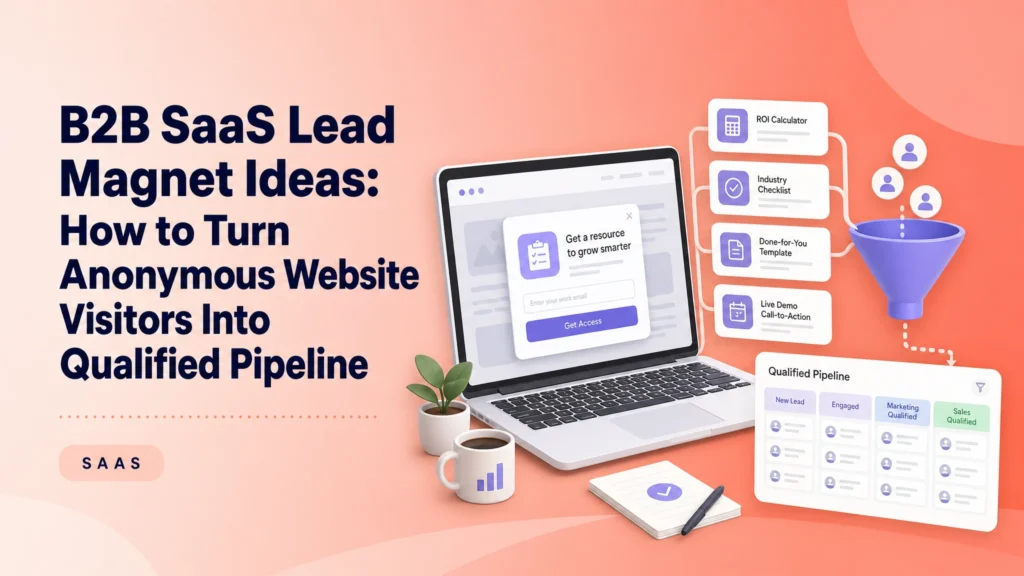
SaaS lead magnet ideas should be mapped to buyer intent, not chosen from a generic asset list. Use educational assets for early-stage visitors, comparison and ROI tools for evaluators, and product-led offers for visitors who are close to trial or demo intent. The best systems combine page targeting, short forms, segmentation, nurture emails, lead scoring, and pipeline measurement.
Key takeaways
- Match each lead magnet to funnel stage: problem-aware, solution-aware, product-aware, or sales-ready.
- Use high-intent offers like ROI calculators, migration guides, comparison templates, and implementation checklists on pricing, comparison, and integration pages.
- Use educational assets like templates, swipe files, email courses, benchmark reports, and assessments for earlier-stage visitors.
- Ask only for fields that improve delivery, personalization, routing, scoring, or reporting.
- Measure qualified lead rate, demo assist rate, trial activation, pipeline influenced, and unsubscribe signals, not just form submissions.
SaaS lead magnet ideas work best when they help buyers solve a specific problem, reveal intent, and create a useful next step toward a trial, demo, or sales conversation. Instead of offering one generic ebook everywhere, B2B SaaS teams should map each offer to visitor intent: educational resources for early research, calculators and comparison tools for active evaluation, and implementation assets for buyers who are close to purchase.
This matters because many B2B buyers research before they speak to sales. The 6sense 2024 B2B Buyer Experience Report found that buyers often form requirements and vendor preferences before first contact, while Gartner reported in 2025 that many B2B buyers prefer a rep-free buying experience. A strong lead magnet system gives anonymous visitors a lower-friction way to identify themselves before they are ready to request a demo.
The goal is not simply to collect emails. The goal is to turn website traffic into segmented, qualified demand by matching the right promise, format, trigger, form, and follow-up to the visitor’s buying stage.
What makes a SaaS lead magnet different?
A SaaS lead magnet is a high-value offer that captures contact information while helping a prospect make progress toward adopting software. Unlike an ecommerce discount, the value is usually educational, diagnostic, operational, or product-led.
Good SaaS lead magnets usually do at least one of these jobs:
- Clarify a business case: ROI calculators, savings estimators, cost of inaction worksheets.
- Reduce evaluation friction: comparison templates, security checklists, procurement guides.
- Show a better workflow: templates, playbooks, swipe files, sample automations.
- Reveal fit: assessments, use case selectors, maturity quizzes, integration guides.
- Start product usage: free tools, sandboxes, audit reports, template libraries.
That means your offer should be tied to the buyer’s next decision, not your team’s desire for more form fills. A VP evaluating vendors may want a business case template. A practitioner reading a how-to blog post may want a checklist. A developer on an integration page may want API examples or implementation docs.
SaaS lead magnet ideas by funnel stage

The easiest way to choose between SaaS lead magnet ideas is to ask: how close is this visitor to a buying decision?
Use this as your operating model. A lead magnet for a top-of-funnel blog post should not ask the same questions or make the same promise as a pricing page offer. Page intent should shape everything from copy to form fields.
High-intent SaaS lead magnet ideas for active buyers
High-intent offers are for visitors who are already evaluating software. They are especially useful on pricing pages, comparison pages, integration pages, demo pages, and retargeted sessions.
1. ROI calculator
An ROI calculator works when your product has a measurable impact on cost, revenue, productivity, risk, or time saved. Keep the first screen simple: ask for one or two inputs, show a preview result, then gate the full report or email a shareable PDF.
Best fields: work email, company size, role, current process volume, timeline.
Follow-up angle: send the result, explain the assumptions, and offer a demo that validates the model against the prospect’s real workflow.
2. Implementation checklist
Implementation checklists attract serious buyers because they answer the operational question: what will it take to make this work? This is useful for HR tech, martech, RevOps, security, finance, customer support, and analytics products.
Include sections for stakeholders, data requirements, integrations, permissions, timeline, success metrics, and rollout risks.
3. Buyer comparison template
A vendor comparison template helps buying committees evaluate options consistently. Include weighted criteria such as usability, integrations, security, reporting, support, onboarding, pricing model, and time to value.
Do not make it a disguised sales sheet. If the template is objective, your follow-up conversation will be stronger.
4. Security questionnaire pack
For SaaS products that sell into mid-market or enterprise companies, security review can delay deals. A security lead magnet can include a sample vendor security questionnaire, a data processing checklist, or a procurement readiness pack.
This offer often converts well on trust pages, enterprise pages, documentation pages, and late-stage comparison content.
5. Migration guide
A migration guide is valuable when prospects are switching from spreadsheets, legacy systems, or a competitor. Break the guide into stages: audit, data cleanup, import, mapping, integrations, QA, training, and launch.
Best CTA: “Download the migration plan” or “Get the 30-day switch checklist.”
6. Integration playbook
Integration pages often receive high-quality traffic from people checking technical fit. Offer a playbook that explains common workflows, data flow examples, required permissions, and implementation options.
Educational lead magnet ideas for earlier-stage visitors
Earlier-stage lead magnets should help prospects understand the problem, compare approaches, and build internal alignment. They should not force every visitor into a demo request.
7. Benchmark report
A benchmark report works when you have original data, anonymized customer data, survey results, or a credible partner dataset. If you do not have proprietary data, create a qualitative benchmark instead: maturity levels, common gaps, and recommended next actions.
8. Templates and worksheets
Templates convert because they save time. Examples include launch plans, content calendars, sales handoff templates, onboarding checklists, CRM cleanup worksheets, budget request templates, and QBR decks.
The most effective templates are specific. “Customer onboarding checklist for B2B SaaS teams” is stronger than “Ultimate customer success guide.”
9. Swipe files
A swipe file is a curated library of examples. Product marketers might offer positioning examples. Lifecycle teams might offer email sequences. Demand generation teams might offer ad copy examples, landing page structures, or webinar promotion templates.
10. Email course
An email course is useful when education requires a sequence. Keep it short: five lessons over five to seven days. Each lesson should solve one problem and point to the next step.
If you use popups or embedded forms to promote the course, align the promise with the page topic. A visitor reading about onboarding should see an onboarding course, not a generic newsletter pitch.
11. Teardown video
A teardown can be a short recorded audit of a workflow, website page, funnel, dashboard, or process. You can offer a public example instantly and gate a custom teardown for qualified accounts.
12. Interactive assessment
An assessment asks diagnostic questions and returns a result. For example: “How mature is your demo conversion funnel?” or “Is your onboarding process ready to scale?”
Assessments are useful because they collect segmentation data naturally. The answers can populate lifecycle tags, score fields, and nurture paths.
Product-led lead magnets that create usage intent
Product-led lead magnets help visitors experience value before they speak to sales. They are especially useful for PLG, developer tools, productivity software, marketing tools, analytics platforms, and workflow automation products.
13. Free tool
A free tool can be a calculator, grader, analyzer, generator, validator, or checklist builder. The best free tools produce a useful output immediately and then offer a gated save, export, or deeper analysis.
14. Limited audit
A limited audit can evaluate a website, funnel, data setup, SEO issue, CRM process, email sequence, or product experience. The key is to define scope clearly so it does not create unmanageable manual work.
15. Sandbox access
Sandbox access helps product-aware buyers test the interface without committing to a full trial. This works well when setup is complex or when buyers want to see sample data first.
16. Template library
A template library can become a continuous lead capture engine. Offer several ungated templates for discovery, then gate bundles, advanced templates, or editable versions.
17. Sample workflow
Show a complete workflow that your ICP wants to copy. For example, a sales operations SaaS might offer a lead routing workflow. A customer success SaaS might offer a renewal risk workflow.
The product-led angle is simple: “Get the workflow, then customize it in the product.”
How should SaaS teams match lead magnets to pages?
Page intent tells you what the visitor is likely trying to accomplish. Match the offer to that job.
Tools like Poptin popups can help you show different offers based on timing, pages, behavior, and traffic context. For example, a visitor who has read three articles might see an assessment, while a pricing page abandoner might see an ROI calculator or implementation checklist.
Popup and form strategy: when should each format be used?
The format should match the interruption level and the value of the offer. Higher commitment offers can justify more prominent prompts. Lighter offers should feel native to the content.
Slide-ins
Use slide-ins for educational offers on blog posts and guides. Trigger them after the visitor has shown engagement, such as scrolling 40 percent or spending enough time to understand the content.
Embedded forms
Use embedded forms when the offer is directly connected to the section the visitor is reading. They feel less interruptive and can work well for templates, checklists, and webinars.
Exit-intent popups
Use an exit-intent popup when a visitor is about to leave a high-value page. Pricing, comparison, demo, and integration pages are good candidates. The offer should reduce friction, not create another generic subscription request.
Multi-step forms
Use multi-step forms when qualification matters. Start with a low-friction question, such as use case or company size, then ask for contact details after the visitor has engaged.
Sticky bars
Use sticky bars for persistent, low-pressure offers such as “Get the implementation checklist” or “Calculate ROI.” Keep the copy short and avoid covering important navigation.
Progressive profiling
Progressive profiling means asking for more information over time instead of forcing a long form on the first visit. Pair this with website tracking and CRM data so returning visitors do not see the same basic questions repeatedly.
What fields should a SaaS lead magnet form ask for?
The form should collect enough information to personalize follow-up and qualify interest, but not so much that it suppresses conversion.
Start with a minimum viable form
- Email address
- First name, if needed for personalization
- Company name, if routing or enrichment is important
- Consent checkbox where required
Add qualification fields only when they change the next step
- Role: helps separate buyer, practitioner, admin, executive, student, and agency.
- Company size: supports segmentation by SMB, mid-market, and enterprise.
- Use case: connects the lead to the right nurture path.
- Tech stack: matters for integrations, migrations, and implementation offers.
- Timeline: helps identify sales-ready prospects.
A useful rule: if a field will not change routing, scoring, personalization, or reporting, remove it.
Segmentation ideas for better SaaS lead magnet conversion
Segmentation makes the same website feel more relevant to different buyers. Consider tailoring offers by:
- Industry: healthcare, finance, ecommerce, education, SaaS, manufacturing.
- Company size: startup templates for small teams, governance packs for enterprise teams.
- Traffic source: paid search visitors may need a direct offer, while organic blog readers may prefer education.
- Content category: show funnel templates on funnel posts and onboarding templates on onboarding posts.
- Lifecycle stage: subscribers, trial users, demo no-shows, open opportunities, and customers should not see the same CTA.
- Returning behavior: repeat visits to pricing, comparison, or integration pages can trigger higher-intent offers.
An intent-based popup can use behavior signals to promote the most relevant next step instead of showing the same offer to every visitor.
Follow-up workflow after signup
The lead magnet is only the first conversion. The follow-up sequence turns attention into pipeline.
Email 1: Delivery
Send the asset immediately. Restate what the person requested, provide the link, and set expectations for the next email.
Email 2: Problem framing
Explain the cost of the problem the asset helps solve. Use practical examples, not scare tactics.
Email 3: Proof
Share a short customer story, benchmark, testimonial, or before-and-after workflow. Match the proof to the lead magnet topic.
Email 4: Product use case
Show how your product helps implement the idea from the lead magnet. Keep this educational and specific.
Email 5: Demo or trial CTA
Invite the lead to start a trial, book a demo, request an audit, or speak with a specialist. The CTA should match the lead’s score and stage.
How to score and route SaaS lead magnet leads
Not every download is an MQL. Score based on fit, intent, and engagement.
Fit signals
- Company size matches your ICP.
- Industry is a priority segment.
- Role has buying influence or product ownership.
- Use case matches your strongest value proposition.
Intent signals
- Visited pricing, demo, comparison, security, or integration pages.
- Downloaded a high-intent asset such as ROI calculator or migration guide.
- Returned multiple times in a short period.
- Clicked nurture links related to implementation or pricing.
Routing rules
- Send high-fit, high-intent leads to sales with page history and asset context.
- Send high-fit, low-intent leads into nurture by use case.
- Send low-fit leads to self-serve content or newsletter education.
- Suppress customers, competitors, students, and vendors from sales alerts where appropriate.
Sales alerts should include why the person is interesting: asset downloaded, pages viewed, company fit, use case, and suggested opener.
Measurement framework: how do you know it is working?

Measure the full journey, not only the form fill.
- View-to-conversion rate: percentage of offer viewers who submit the form.
- Qualified lead rate: percentage of leads that match ICP and intent criteria.
- Demo assist rate: percentage of demo requests that previously engaged with a lead magnet.
- Trial activation: percentage of lead magnet leads who start and activate a trial.
- Pipeline influenced: opportunities where the lead magnet contributed before or during sales engagement.
- Unsubscribe and spam complaint signals: early warnings that the offer or follow-up is misaligned.
Use website analytics, CRM stages, marketing automation tags, and popup performance data together. A lower conversion rate can still be better if it produces higher-quality opportunities.
Common mistakes to avoid
- Asking for too much too soon: long forms can reduce completions, especially for early-stage content.
- Using one generic ebook everywhere: generic offers ignore page intent and attract unfocused leads.
- Hiding the value: vague CTAs like “Download now” underperform compared with specific outcomes.
- Skipping nurture: a lead magnet without follow-up is just a contact capture tactic.
- Treating all leads equally: a student downloading a template is not the same as a VP using a pricing calculator.
- Over-promoting the product too early: educational leads need context before a sales ask.
A practical 30-day rollout plan
You do not need 20 assets to begin. Launch three targeted lead magnets across high-traffic and high-intent pages.
Days 1 to 5: Audit intent and choose offers
- List your top 10 traffic pages and top 10 conversion pages.
- Map each page to funnel stage.
- Select three offers: one educational, one evaluation-focused, and one product-led.
Days 6 to 12: Build the assets
- Create a checklist or template for blog traffic.
- Create an ROI calculator or comparison worksheet for evaluation traffic.
- Create a sandbox, audit, or workflow library for product-aware visitors.
Days 13 to 18: Build forms and targeting
- Create a short form for the educational offer.
- Create a multi-step form for the evaluation offer.
- Create a sales notification for high-fit product-led submissions.
- Set targeting by page, scroll depth, exit intent, or returning visitor behavior.
Days 19 to 24: Write nurture and routing
- Write the five-email sequence for each offer.
- Add CRM tags for source, offer, use case, and funnel stage.
- Define MQL rules and sales routing thresholds.
Days 25 to 30: Launch, monitor, and improve
- Check form completions, delivery emails, CRM sync, and notifications.
- Review early conversion and qualification data.
- A/B test one variable at a time: headline, trigger, form length, or CTA.
- Interview sales on lead quality after the first batch of handoffs.
Conclusion
The best SaaS lead magnet ideas are not random assets. They are part of a system that captures intent, teaches buyers, qualifies fit, and creates better sales conversations. Start with the buyer’s stage, match the offer to page intent, ask only for fields that improve the next step, and build a nurture path that helps prospects move from anonymous research to confident action.
If your website already attracts relevant traffic, the fastest improvement is often not more traffic. It is a better lead capture strategy that gives each visitor the right reason to raise their hand.
FAQ
What is a SaaS lead magnet?
A SaaS lead magnet is a valuable resource, tool, or experience offered in exchange for contact information. It should help a software buyer solve a problem, evaluate a solution, or experience product value.
What are the best SaaS lead magnet ideas for demo conversion?
ROI calculators, implementation checklists, comparison templates, security packs, migration guides, and custom audits are strong options because they attract buyers who are actively evaluating vendors.
Should SaaS companies gate all lead magnets?
No. Ungate educational content that needs reach, then gate higher-value upgrades such as editable templates, calculators, detailed reports, assessments, and custom audits.
How many fields should a SaaS lead magnet form have?
Use the fewest fields needed to deliver the asset and personalize follow-up. Add role, company size, use case, tech stack, or timeline only when those fields affect routing, scoring, or segmentation.
How should lead magnet leads be followed up?
Start with immediate asset delivery, then send a short sequence that frames the problem, provides proof, explains the product use case, and invites the person to start a trial, request an audit, or book a demo.